SMB Website Management Challenges
Small to medium-sized businesses (SMBs) know all too well the challenges of website management. Smaller budgets. Limited team members. No time for maintenance. It’s difficult to maintain an efficient online presence, stay up to date with modern trends, and keep up with competitors.
And yet, effective website management is crucial for SMBs as it directly impacts their ability to attract and retain customers, manage their brand reputation, and compete in the digital marketplace. By leveraging the right tools, SMBs can overcome these challenges, streamline their operations, and enhance their online visibility.
Below is a basic list of tools that every SMB should be using. It’s not the holy grail of lists, just a good starting point to make sure your business running smoothly online.
Overview of SMB Tools
Content Management Systems (CMS)
CMSs are crucial for efficient website operation, especially for SMBs that need to regularly update their content without technical assistance. A CMS isn’t just for blogs – though blogging is not a bad idea for businesses – it’s for any business that wants an easy, low-tech management system their site.
- WordPress: Known for its flexibility and extensive plugin ecosystem, WordPress is ideal for SMBs looking for customizability, scalability, and ease of use. There’s a reason 43% of all websites use it.
- Wix / Squarespace: I group these together because I feel like they’re much the same in terms of how they function and what they offer. They have easy to use drag-and-drop editors that allow anyone with minimal skills to create sites in minutes. They’re not as cheap or as customizable as WordPress but they have good support and built in SEO functionality. I should point out that traditional Wix is not the same as Wix Studio, which is built for agencies and designers.
- Webflow: Much like Wix Studio, Webflow is a mostly drag-and-drop editor tailored to agencies and designers who don’t want to code but still want highly functional sites. Webflow works best when you do have a basic understanding of HTML & CSS and want a website that looks great. It does have CMS capability and very easy page management too.
There are many others as well. Each platform has its strengths, so the choice depends on your specific business needs, such as e-commerce functionality, ease of use, cost, or design flexibility.
Analytics Tools
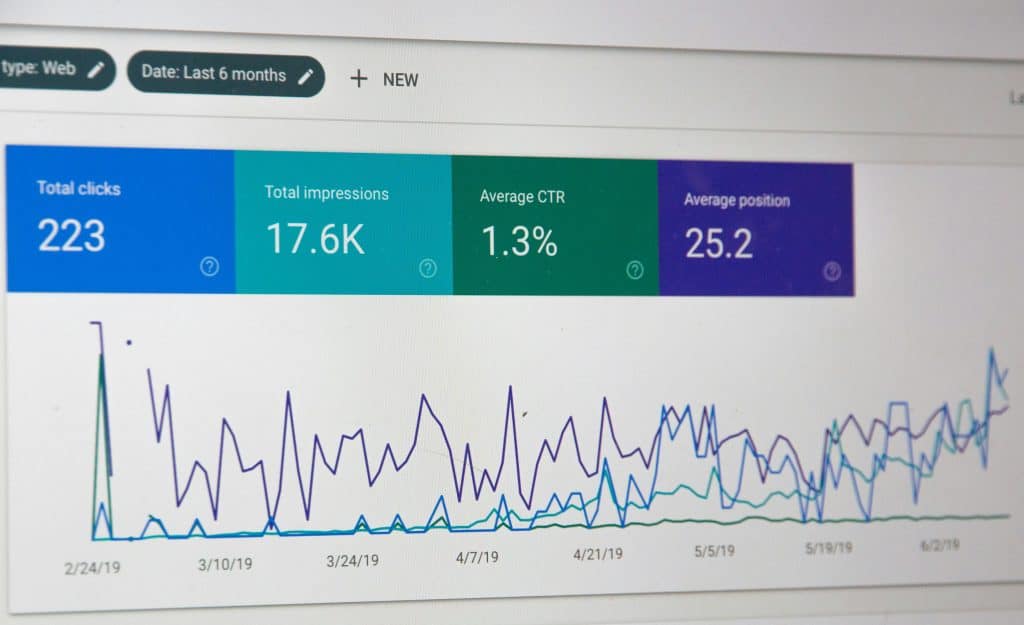
Understanding user behavior and traffic sources is vital for optimizing marketing strategies and enhancing user engagement. How long do users stay on your site? How many pages do they view? What’s your abandoned cart rate? All these are easy to find and track with an integrated analytics tool.
- Google Analytics: Provides free comprehensive insights into visitor behavior, traffic sources, and real-time user activity, making it a staple for any SMB looking to dive deep into analytics. With their new GA4 just released, tracking all your website user data is easy and intuitive. This is the standard website analytics tool that nearly everyone with a website uses.
- Adobe Analytics: Offers advanced segmentation and real-time data analytics, suitable for larger businesses looking for detailed and customizable reporting capabilities at a premium.
- Mixpanel: Focuses on user interaction with web pages, helping SMBs refine user experience based on detailed insights into actions taken on the site.
Google Analytics has been the go-to analytics tool for a long time since it seamlessly integrates into WordPress or any website for free. Selecting the right analytics tool though often depends on the depth of insight required and the specific data points that are most relevant to your business goals. Consider which services you’ll need to help reach your goals.

SEO Tools
SEO tools help enhance online visibility and drive more organic traffic by optimizing your website for search engines.
- Google Ads Keyword Planner: This free tool is kind of hidden inside Google Ads, which makes it unknown to a lot of website creators. You will need a Google Ads account to access it but it’s free and you don’t have to run any ads to use it. It’s probably the best tool for figuring out which keywords you should be including in your site to rank higher in search engines.
- SEMrush: This paid service offers a comprehensive suite of SEO tools, including keyword research, site audits, competitor analysis, and tracking search rankings, making it invaluable for improving search engine visibility.
- Ahrefs: On par with SEMrush, this paid service is known for its robust backlink analysis, tools for keyword research, content analysis, and competitive insights, helping businesses to strategize their SEO efforts effectively.
The choice among SEO tools should be based on the specific SEO needs of your business, such as cost of service, local SEO, international reach, or in-depth competitor analysis.

Social Media Management Tools
Effective management of social media accounts is essential for engaging with your audience and boosting your online presence. They save time and make creating content, posting it, and tracking it so much easier.
- Hootsuite: Allows businesses to schedule posts, track social engagement, and manage all social media profiles from one dashboard, ideal for SMBs needing a comprehensive tool. You’ll get a robust all inclusive service for premium.
- Buffer: Known for its simplicity and effectiveness, Buffer offers post scheduling, performance analysis, and the ability to manage multiple accounts, making it suitable for SMBs focused on growing their social media outreach. This service won’t break the bank either. There are several tiers from free on up.
- PostPlanner: Offering much the same as Hootsuite and Buffer, PostPlanner is an easy to use social media management tool that makes scheduling and analyzing across many brands and platforms very easy. Also offers tiered plans from free on up.
Depending on your social media strategy’s complexity and scale, your tool choice might vary from simple scheduling to advanced analytics and customer relationship management.

Website Security Solutions
Ensuring your website is secure from cyber threats is critical for protecting your data and maintaining customer trust.
- Sucuri: Provides comprehensive website security solutions, including malware scanning, security monitoring, and incident response, ideal for SMBs needing robust protection.
- Cloudflare: Offers a range of security features, including DDoS protection, web application firewalls, and secure SSL certificates, suitable for businesses looking for both performance and security enhancements.
- SiteLock: Delivers daily scans, automatic malware removal, and vulnerability patching, helping SMBs to safeguard their websites from various online threats.
The selection of a security solution should be guided by the specific security concerns pertinent to your business, such as the need for PCI compliance, protection against specific threats, or scalability as your business grows.

Tips on Integrating These Tools
Selecting the right tools for website management is essential for the growth and security of your SMB. These tools not only help streamline your operations but also enhance your ability to engage with customers and protect your digital assets.
For further guidance on choosing the right tools and integrating them into your business operations, please reach out to setup a discovery call so I can help.